 ReelGenie
How to post to TikTok from ChatGPT
ChatGPT can’t post to TikTok by itself: it has no TikTok login, and posts from apps TikTok hasn’t audited stay private or arrive as drafts. To post to TikTok from ChatGPT, add the ReelGenie plugin and save slides or pictures from the chat. You check and approve them, and they land in your TikTok inbox as a draft.
Send your first ChatGPT slides to your TikTok inbox, free. No card needed. Or open a sample post first, with nothing to install.
Plugin status: ReelGenie is listed in ChatGPT’s plugin directory (checked 21 November 2026); OpenAI explains plugins in its help article. If it isn’t under Plugins for you, the same steps work from Claude or Codex. ReelGenie is free for 30 posts a month and 1 brand; Solo is US$19/month. OpenAI bills your ChatGPT plan separately.
This guide is for people who already write TikTok photo posts with ChatGPT and are tired of saving each slide to their phone and rebuilding the post by hand. ChatGPT writes the words. ReelGenie lays them out as slides or keeps your finished files, holds the post, checks it against TikTok’s rules, waits for your yes, and then hands it to TikTok as a draft.
The short answer
- Open Plugins in ChatGPT’s sidebar, find ReelGenie and install it.
- Connect your ReelGenie account when ChatGPT asks; the sign-in happens on ReelGenie’s page, not in the chat.
- Link TikTok on ReelGenie’s Accounts page.
- Have ChatGPT make the pictures or lay out text slides with ReelGenie’s slide tool, and save them as a private post.
- Swipe through every slide and read the caption in the review panel.
- Say yes to the TikTok account and the time.
- When ReelGenie shows Draft ready, open TikTok, add a sound if you like, and post it.
Can ChatGPT post to TikTok by itself?
No. ChatGPT has no TikTok login, and TikTok doesn’t accept posts from just anyone. Apps send posts through TikTok’s Content Posting API, and TikTok’s developer page (read on 22 November 2026) says that everything posted by an app TikTok hasn’t audited yet is “restricted to private viewing mode”.
A plugin is how ChatGPT reaches an app that may post. ReelGenie is one: ChatGPT passes it the finished slides and caption, and after you approve, ReelGenie sends them to TikTok’s inbox route, where you finish the post yourself. Our page on why TikTok API posts end up private or in drafts goes deeper into the audit.
Is there a TikTok plugin for ChatGPT?
To get a post onto TikTok, ChatGPT needs a plugin from an app that sends posts through TikTok’s API, and that plugin decides what you see before anything goes out. With ReelGenie you see the exact slides, the account and the time, and nothing moves until you say yes.
If you work in Codex or Claude Code rather than ChatGPT, the Codex TikTok guide and the Claude Code TikTok guide cover those routes, and the TikTok MCP server page covers other agents.
1. Add ReelGenie in ChatGPT
OpenAI’s help article on plugins in ChatGPT (read on 22 November 2026) says to open Plugins in the sidebar of ChatGPT on the web, desktop or phone, or to visit chatgpt.com/plugins. Pick ReelGenie, choose Install plugin, and then Connect when it asks for an account.
Connect opens ReelGenie’s own sign-in. Sign in, or create a free account, and check the app name on the consent screen before you agree. A first brand is ready for you, so ChatGPT can save a post straight away.
Use ReelGenie to list my connected TikTok accounts. If none are connected, tell me where to connect one.
Status: ReelGenie is listed in ChatGPT’s plugin directory (checked 21 November 2026). The plugin walkthrough shows each screen.
2. Connect your TikTok account
Your TikTok password never goes near ChatGPT. On ReelGenie’s Accounts page, choose TikTok and approve the connection on TikTok’s own screen. You can do this before or after your first post; a saved post just waits until an account is linked.
Do I need a paid ChatGPT plan or the phone app?
OpenAI’s plugins article says that installing or using a given plugin “depends on your plan, workspace, role, region”, so in a company workspace an admin may need to allow ReelGenie first. The same article says a plugin labelled Desktop only needs the desktop app. ReelGenie has no such label, because it runs on ReelGenie’s servers rather than on your computer.
We haven’t checked the review panel inside the iPhone and Android apps yet. If it won’t open on your phone, finish the review in ChatGPT on the web, or open the post at reelgenie.app, which fits a phone screen.
3. Make the photo post in ChatGPT
Settle the idea before any slide gets made. Tell ChatGPT who the post is for and what you want them to do after the last slide.
Give me three ideas for a TikTok photo post about [topic] for [who it’s for], each with the words for slide 1. Wait for me to pick one.
Then pick a route. For TikTok, what matters is the pixel size (1080 × 1920 at most) and the file type (JPEG, WebP or PNG).
- Text slides laid out by ReelGenie. ChatGPT writes the words for each slide and passes them to ReelGenie’s slide tool, which lays them out on a few fixed designs in your brand colours and saves JPEG slides at 1080 × 1350 or 1080 × 1920. Those go to TikTok as they are.
- Pictures ChatGPT draws itself. They reach ReelGenie straight from the chat, with no download: up to 20 images, 8 MB each and 12 MB in total, kept byte for byte. ChatGPT’s pictures usually come out as PNG, and they work for a TikTok photo post as long as each image fits within 1080 × 1920. Because TikTok itself accepts only JPEG or WebP, ReelGenie sends TikTok a JPEG copy of each PNG while Instagram and YouTube keep the original.
- Your own JPEG, WebP or PNG slides. Upload them on the Posts page; JPEG and WebP go to TikTok unchanged, and PNGs up to 1080 × 1920 get a JPEG copy for TikTok.
Lay out these six slides with ReelGenie’s slide tool in the story size, use my brand colours, and save them as a private post with this caption. Don’t approve or schedule anything.
The free TikTok slideshow preview shows slides in a phone frame if you want to see them before saving.
What TikTok accepts in a photo post
The first three rows come from TikTok’s media transfer guide and the last two from its photo post reference, both read on 22 November 2026. ReelGenie checks every row before you can approve.
| Rule | Limit | From a ChatGPT chat |
|---|---|---|
| Image format | TikTok takes JPEG or WebP; ReelGenie accepts JPEG, WebP or PNG and sends TikTok a JPEG copy of any PNG. | Both work: slide tool saves JPEG, and ChatGPT’s PNG pictures get a JPEG copy for TikTok. |
| Picture size | Up to 1080p; ReelGenie allows 1080 × 1920 at most. | Both slide sizes fit; resize larger ChatGPT pictures to 1080 × 1920 at most. |
| File size | 20 MB per image at TikTok. | ReelGenie takes 8 MB each and 12 MB together from a chat. |
| Slides per post | TikTok takes up to 35; ReelGenie sends up to 20. | Up to 20. |
| Title and caption | Title up to 90 characters (ReelGenie shortens a longer one); caption with hashtags up to 4,000 characters. | ChatGPT writes both. |
More on photo posts as a format is on scheduling a TikTok slideshow.
Can I post a video I attached in ChatGPT?
Not today. In our checks (22 November 2026), a video you attach in a ChatGPT chat doesn’t reach a plugin: ReelGenie’s ChatGPT tool receives only images from the conversation. OpenAI’s help pages don’t cover this, but two other posting tools report the same on their own pages (post bridge and PostWire, both checked on 22 November 2026). A finished TikTok video can still reach ReelGenie two ways:
- A finished-video link from HeyGen, Canva or Higgsfield. Paste the video’s download link into ChatGPT and ask it to save the video to ReelGenie. ReelGenie fetches that finished MP4 or MOV, up to 500 MB, and checks it like an upload. It accepts links from those three tools only, and it doesn’t make or change the video.
- An upload in ReelGenie. Upload the finished MP4 yourself on ReelGenie’s Posts page, then review and approve it like any other post. Claude and Codex can also send a video file from your computer.
Before you can approve a TikTok video, ReelGenie checks that it runs at 23 to 60 frames per second.
4. Check the exact slides
Saving creates a private post, and that is all it does. ChatGPT then opens ReelGenie’s review panel next to the conversation. Swipe through the slides in a phone frame, read the whole caption, and open any slide at full size. You see the exact slides before anything goes out (for a PNG, ReelGenie sends TikTok a JPEG copy and keeps your original).
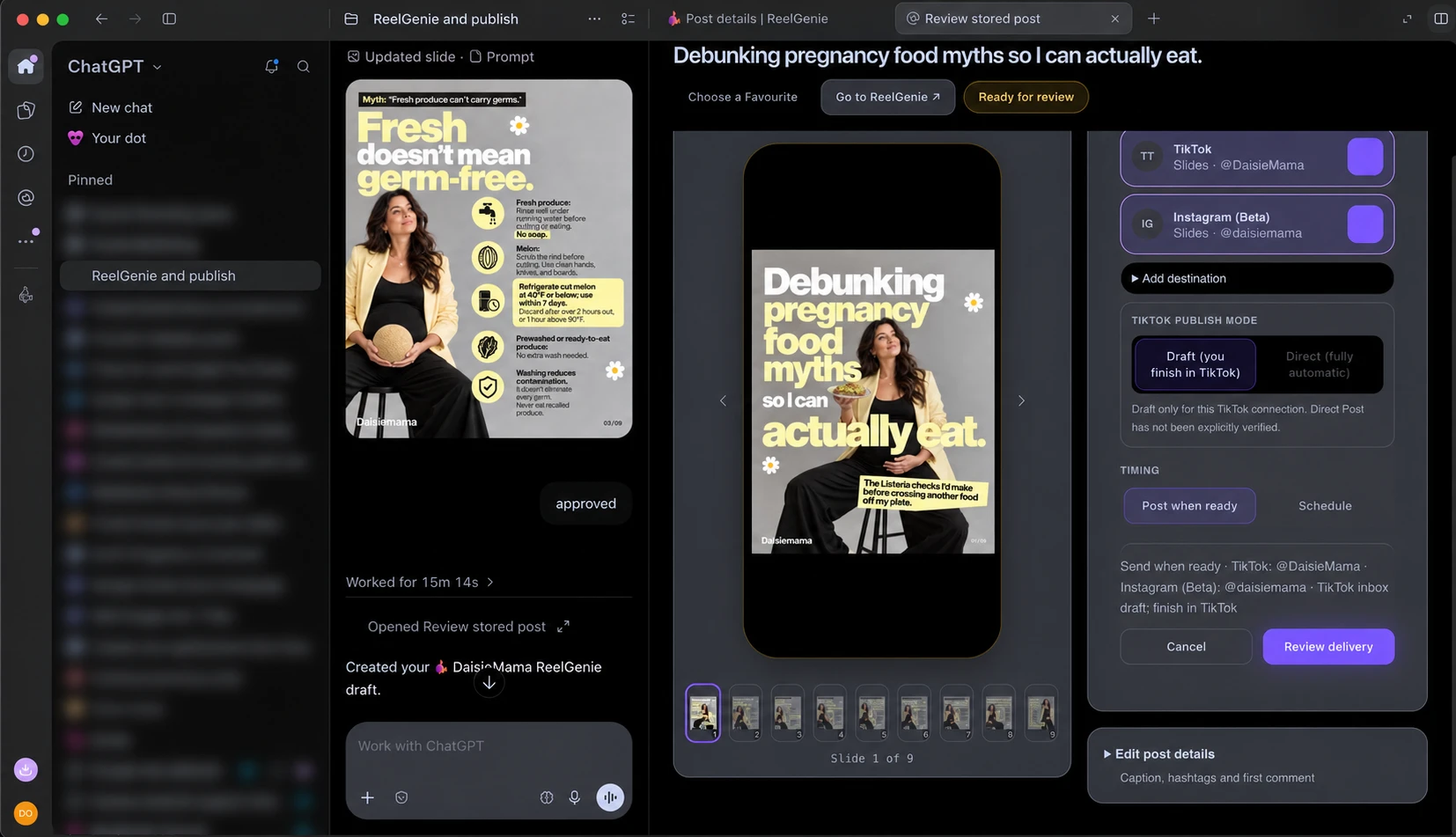
Want a slide changed? Ask ChatGPT to redo only that one while the post waits. Any change means the post needs a fresh look before you can approve it.
From a ChatGPT chat to your TikTok inbox
- 1ChatGPT writes the slides and saves them to ReelGenie.
- 2The post stays private while you check it in a phone frame.
- 3You say yes to the TikTok account and the time.
- 4TikTok shows Draft ready, and you post it from the app.
 ▷ 1M
 3 MISTAKES
3 things ruining your sleep (you do #2 every night)
A · The mistakes
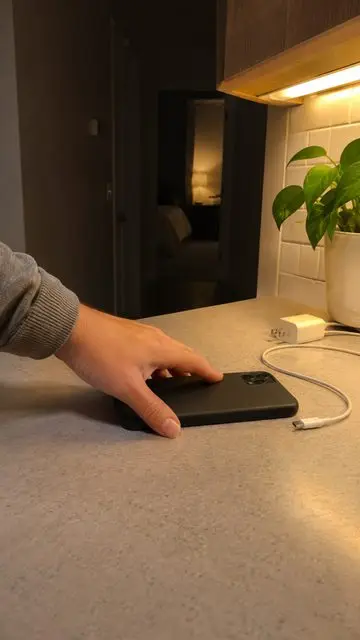 7-DAY TEST
I banned my phone from the bedroom for 7 days
B · A 7-day test
 1 HABIT
the 1 habit that stopped my 3am wake-ups
C · One habit
7-DAY TESTno phone in the bedroom for 7 days
 7-DAY TEST
lights out at 10pm for 7 days
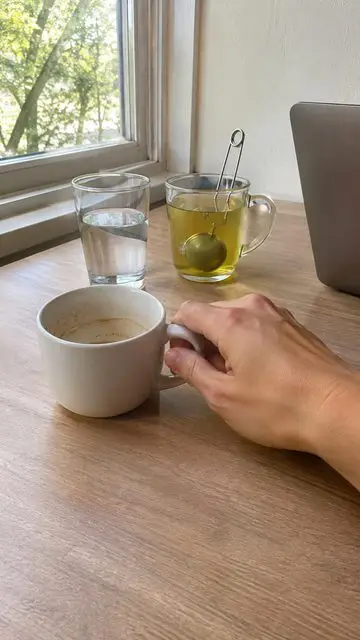 7-DAY TEST
no coffee after 2pm for 7 days
 7-DAY TEST
morning sun for 7 days
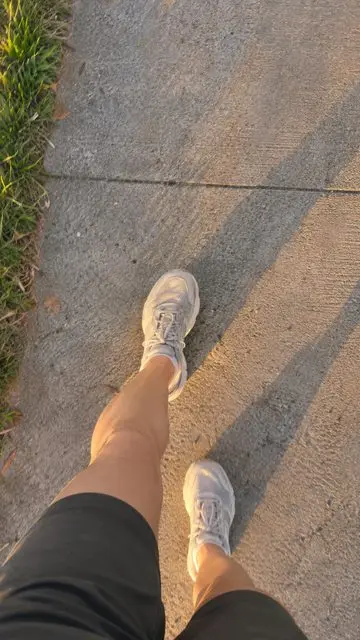 7-DAY TEST
a walk every evening for 7 days
7-DAY TESTno phone in the bedroom for 7 days
7-DAY TESTno phone in the bedroom for 7 days
7-DAY TESTno phone in the bedroom for 7 days
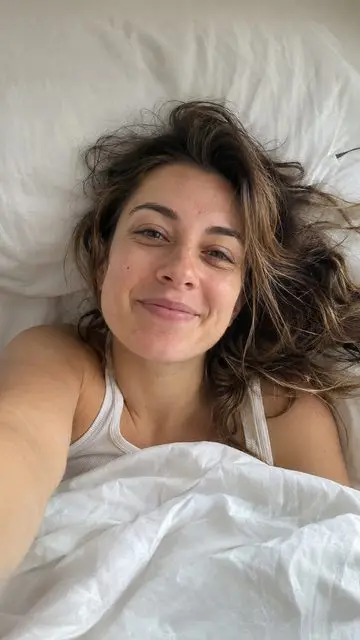
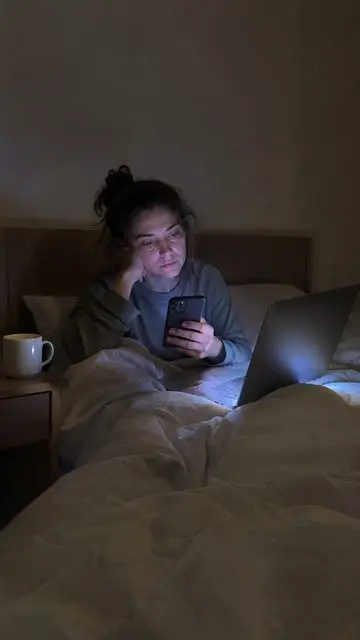
In this example the creator, app and numbers are made up for illustration.
Try it with one photo post. Make a free account, save the slides from ChatGPT and look at them on the phone preview first.
5. Approve the account and the time
Tell ChatGPT which TikTok account and when: now, or a date, time and time zone. Every TikTok delivery from ReelGenie is an inbox draft today, so there is no public-or-private choice to make yet.
Send this photo post to my TikTok inbox on Saturday at 10:00 New York time. Ask me before you approve.
ChatGPT asks you one yes-or-no question that names the post, the account and the time, and approves only after a clear yes or under a rule you wrote. You can approve in the review panel or on the review page yourself instead. Before sending, ReelGenie warns you if the TikTok connection would run out before the chosen time.
Will ChatGPT post without my approval?
No. You approve every post before it goes live, and saving a post never sends it. ReelGenie’s instructions tell ChatGPT to ask first and approve only after you say yes in the chat, or under a rule you wrote. If the slides, caption, account or time change after your yes, ReelGenie sends nothing and asks for a new approval. And on TikTok the last tap is yours anyway: the draft isn’t public until you post it.
Why does it land in my TikTok inbox as a draft?
Because TikTok hasn’t finished auditing ReelGenie’s app. TikTok’s upload guide (read on 22 November 2026) describes the inbox route: the post arrives as a notification, and the creator opens it to keep editing and post it in TikTok. Until the audit is done, posting straight to a profile would leave the post private, so ReelGenie uses the inbox route for every TikTok account.
- What you see in ReelGenie: Draft ready, meaning TikTok has it and it isn’t public yet.
- What you do: open the notification in TikTok, edit or add a sound, and post.
- The limit: 5 drafts waiting at once; see how many drafts can wait below.
How many TikTok drafts can wait in my inbox?
Five. TikTok allows at most 5 pending shares in any 24 hours for each account, and a draft counts as pending until you post it or delete it in TikTok.
TikTok’s photo post reference (last updated 27 October 2026, read on 22 November 2026) lists the too-many-pending-shares error for photo posts, but the sentence about the cap of 5 talks only about videos. TikTok doesn’t spell out the number for photos, so we treat photo posts and videos the same.
- What ReelGenie does when the cap is hit: it sends nothing to that account and marks it Failed with this reason: this account already has 5 TikTok inbox drafts from the last 24 hours. It doesn’t retry by itself, because waiting a few minutes won’t clear the cap. Other accounts on the same post are not affected.
- What you do: open TikTok and post or delete the drafts that are waiting, then send the post again from ReelGenie.
- To avoid it: finish each draft before you approve the next few, or spread a batch over more than one day.
6. Finish the draft and check that it posted
A scheduled post hasn’t reached TikTok yet, and a draft isn’t public yet. ReelGenie shows each account’s state:
- Scheduled: the time hasn’t come.
- Draft ready: waiting in your TikTok inbox for your last step.
- Published: TikTok reports the post as public, with its link.
- Failed: TikTok’s reason in plain words, and what to change.
Did my TikTok post arrive? Tell me whether it’s still a draft and if I need to do anything in TikTok.
If nothing arrived, our guide to posts that didn’t publish walks through the usual causes. Once the post has been public for a day, ChatGPT can set its views against your account’s usual numbers. That compares the post with your own earlier posts; it isn’t proof of growth.
Can I schedule it?
Yes. Approve with a date, time and time zone, and ReelGenie sends the draft to your TikTok inbox then, with ChatGPT closed. Planning several posts across TikTok, Instagram and YouTube is covered in scheduling social media posts with ChatGPT.
What ChatGPT can’t do here
- Sign in to TikTok; you link it on ReelGenie’s Accounts page.
- Post straight to your TikTok profile. Every post is an inbox draft until TikTok’s audit of ReelGenie is done.
- Tap Post inside TikTok for you, or pick a sound; both happen in the TikTok app.
- Send anything you haven’t approved, or anything that changed after you approved it.
- Pass on a video you attached in the chat. Use a HeyGen, Canva or Higgsfield link, or upload the file in ReelGenie.
- Edit or delete a post once it is on TikTok. Do that in the app.
- Post anywhere besides TikTok, Instagram and YouTube.
The free plan covers 30 posts a month across your team, 1 brand and 3 connected accounts; posts saved for review don’t count. Solo is US$19/month with no monthly limit. See every plan.
Questions about ChatGPT and TikTok
- Can ChatGPT post to TikTok?
- Not on its own. With a posting plugin such as ReelGenie, ChatGPT saves the finished post, you check and approve it, and it arrives in your TikTok inbox as a draft that you post from the TikTok app.
- Why didn’t my post go live on my profile?
- ReelGenie sends every TikTok post to your inbox as a draft today, because TikTok hasn’t finished auditing ReelGenie’s app. Open the draft in TikTok and post it there.
- Can I use the pictures ChatGPT makes?
- Yes. ChatGPT’s PNG pictures reach ReelGenie straight from the chat and work for a TikTok photo post as long as each image is 1080 × 1920 at most. ReelGenie sends TikTok a JPEG copy of each PNG itself, while Instagram and YouTube get the original, and text slides from ReelGenie’s slide tool are already JPEG.
- Does ChatGPT see my TikTok password?
- No. You approve the TikTok connection on TikTok’s own screen from ReelGenie’s Accounts page. ChatGPT never gets it.
- Can I add a trending sound?
- Yes, when you finish the draft in the TikTok app. Pick the sound there before you tap Post.
- Can ChatGPT edit or delete a TikTok post?
- Only before it is sent. While the post waits you can change the caption, swap a slide or cancel the time. After that, use the TikTok app.
- Can ChatGPT post to Instagram and YouTube too?
- Yes, through the same plugin, after you approve each post. The ChatGPT scheduling guide covers all three.
- Can I mark a ChatGPT-made post as AI-generated on TikTok?
- Yes. Before you approve, turn on AI-generated content in the post’s TikTok options, and ReelGenie adds TikTok’s AI-generated label when it sends the draft to your inbox.
- Is it free?
- ReelGenie is free for 30 posts a month, 1 brand and 3 connected accounts, with no card. Your ChatGPT plan is separate.
Send your first ChatGPT post to your TikTok inbox
Make a free ReelGenie account, save one set of slides from ChatGPT and check them on the phone preview. TikTok gets nothing until you say yes.