 ReelGenie
TikTok API posts private or in drafts? What the Content Posting API audit means
TikTok API posts are private when the app that sent them hasn’t passed TikTok’s Content Posting API audit. TikTok shows posts from an unaudited app only to the creator. Posts that land in drafts were sent the other way, as an upload to the creator’s TikTok inbox, which the person finishes and posts in the TikTok app.
Save Friday’s TikTok for review. I’ll approve it.
reelgenie · finalize_finished_video_post
CLAUDESaved privately. After you approve, it goes to your TikTok inbox as a draft.
 NEW BEANS
what we roast before 7am
@hillside.roast first batch of the week ☕ #coffee
Approve
- Account
- TikTok · @hillside.roast
- Sent as
- Inbox draft
- Time
- Fri 7:00 am
Result for each account
Made-up shop and account. Nothing is public until the person posts the draft in TikTok.
The short answer
TikTok keeps every post from an unaudited app private (“Only me”), and lets at most 5 accounts post through it in 24 hours. Passing TikTok’s audit lifts that. An app can also skip public posting and send the video to the creator’s TikTok inbox as a draft, which the person posts from the TikTok app.
ReelGenie works the second way for most accounts today: your agent saves the post, you approve it, and ReelGenie sends it to your TikTok inbox as a draft that you finish in TikTok. ReelGenie doesn’t promise public posting on TikTok.
Does TikTok have an API, and is it free?
Yes, TikTok has an official API for posting, the Content Posting API, and TikTok’s developer docs list no price or fee for it (checked 18 November 2026). What an app needs is TikTok’s approval, not a payment.
- Register an app on TikTok for Developers and add the Content Posting API product to it.
- Get its scopes approved in app review. TikTok checks the app’s details, website, privacy policy and the scopes it asks for, with demo videos, before approving it (App review guidelines).
- Pick the way in. The
video.uploadscope sends drafts to the creator’s inbox. TikTok’s direct posting API is Direct Post: thevideo.publishscope with Direct Post turned on for the app. - Pass the audit for public posts. Until then, every Direct Post is private (“Only me”).
For ReelGenie users, none of this is your job: ReelGenie sends through its own TikTok app. ReelGenie’s Direct Post waits on TikTok’s audit of ReelGenie’s app, so most accounts get an inbox draft that you finish in TikTok, and ReelGenie doesn’t promise public posting on TikTok. Sources: TikTok’s Direct Post guide and Upload guide.
Why are TikTok API posts private or in drafts?
Private: the app hasn’t passed TikTok’s audit, and TikTok says “All content posted by unaudited clients will be restricted to private viewing mode.” Drafts: the app used TikTok’s upload option, which puts the post in the creator’s inbox instead of on their profile.
TikTok’s Content Posting API has two ways in. Direct Post (the video.publish scope) publishes straight to the profile, and is private-only until the app is audited. Upload (the video.upload scope) sends the video to the creator’s inbox; TikTok asks apps to tell people to “click on inbox notifications” to finish and post it. Sources: TikTok’s Direct Post guide and Upload guide.
If an unaudited app tries to Direct Post to a public account, TikTok refuses it with the error unaudited_client_can_only_post_to_private_accounts (Direct Post reference).
What is the TikTok Content Posting API audit?
It is TikTok’s check that an app (TikTok calls it an API client) follows its Terms of Service before its Direct Posts can be public. An app applies on TikTok’s Content Posting API application page after testing.
TikTok’s Content Sharing Guidelines set what the posting screen must show, such as the creator’s nickname, a “who can view this post” choice with no default, and TikTok’s music consent sentence. The application form also asks how many people the app expects to post.
Who needs the TikTok audit?
Any app that wants its Direct Posts to be public. The audit belongs to the app, not to each creator, so people who post through someone else’s app don’t apply themselves.
If you build your own TikTok app for your own account, its Direct Posts stay private until you pass the audit too. An app that only sends drafts to the inbox needs the video.upload scope approved; TikTok’s upload guide lists that, and doesn’t mention the audit.
What gets an app turned down in TikTok’s audit?
An app built only for your own accounts. TikTok’s Content Sharing Guidelines say apps must help creators post original content and be meant for a wide audience, and they list two kinds of app as not acceptable (checked 18 November 2026):
- “A utility tool to help upload contents to the account(s) you or your team manages.”
- “An app that copies arbitrary contents from other platforms to TikTok.”
So a personal auto-poster, for example an n8n or Make flow for your own accounts, is the kind of app TikTok describes as not acceptable for public Direct Post. Sending drafts to your inbox with the video.upload scope, or posting through an app that serves many creators, are the other ways.
What TikTok checks on your posting screen
TikTok’s guidelines set what the “Post to TikTok” screen must do before an app passes. In short:
- The creator’s nickname, fetched fresh, so people see which account gets the post.
- Stop when the creator can’t post right now, and check the video against the longest length TikTok allows for that creator.
- Who can view the post, chosen by the person from TikTok’s options, with no default.
- Comments, Duet and Stitch off until the person turns them on, and greyed out if the creator has turned them off in TikTok.
- Commercial content: a switch, off by default, for “Your brand” or “Branded content”.
- Music consent: “By posting, you agree to TikTok’s Music Usage Confirmation” before the post button.
Source: Content Sharing Guidelines, checked 18 November 2026.
How long does the TikTok audit take?
TikTok doesn’t say. Its Direct Post guide and Content Sharing Guidelines give no review time (checked 18 November 2026).
Until an app passes, TikTok’s limits for unaudited apps apply: posts are “Only me”, and at most 5 accounts can post through the app in 24 hours.
Can you post to TikTok via the API?
Yes, through TikTok’s Content Posting API, with the creator’s permission. Public posts need an audited app; without the audit you get private posts, or drafts the person finishes in TikTok.
| Rule | What TikTok says |
|---|---|
| Unaudited Direct Post | Posts are SELF_ONLY (only the creator sees them), and the account must be private when posting. |
| Accounts per app | Up to 5 accounts can post through an unaudited app in 24 hours. |
| Posts per creator | A daily cap, about 15 a day per account, shared across every app that Direct Posts. |
| Inbox drafts | At most 5 waiting drafts per account in any 24 hours. |
| Requests | 6 requests a minute per access token. |
Sources: Content Sharing Guidelines, Direct Post reference and Upload reference. TikTok changes these rules, so check its pages before you build.
TikTok API errors about private posts and limits
| Error | What TikTok says | What it means |
|---|---|---|
| unaudited_client_can_only_post_to_private_accounts | An unaudited app tried to Direct Post to a public account. | Pass the audit, or post to a private account while testing. |
| spam_risk_too_many_posts | “The daily post cap from the API is reached for the current user.” | Wait for the next day; the cap is per creator. |
| spam_risk_too_many_pending_share | “The daily upload cap from the API is reached for the current user.” | Too many drafts are waiting in the inbox. Post or delete some, then send again. |
Sources: Direct Post reference and Upload reference.
What do ReelGenie users see on TikTok today?
Most accounts get an inbox draft: after you approve, ReelGenie sends the post to your TikTok inbox, and you finish and post it in the TikTok app. ReelGenie’s Direct Post waits on TikTok’s audit of ReelGenie’s app, so ReelGenie doesn’t promise public posting on TikTok (checked 18 November 2026).
- The result says so. The account’s row reads In TikTok inbox, with “Finish and publish it in the TikTok app”. ReelGenie never shows an inbox draft as published.
- After you post it. When TikTok reports the post as public, ReelGenie marks that account’s result published.
- Limits stay TikTok’s. If an account already has 5 inbox drafts from the last 24 hours, ReelGenie sends nothing and says “Post or delete them in TikTok, then send again.”
- Nothing goes without approval. Your agent saves the post as private; a person approves the account and the time.
A draft is also how you add a TikTok sound: an app can’t pick one through TikTok’s API. More in TikTok MCP server and TikTok slideshows.
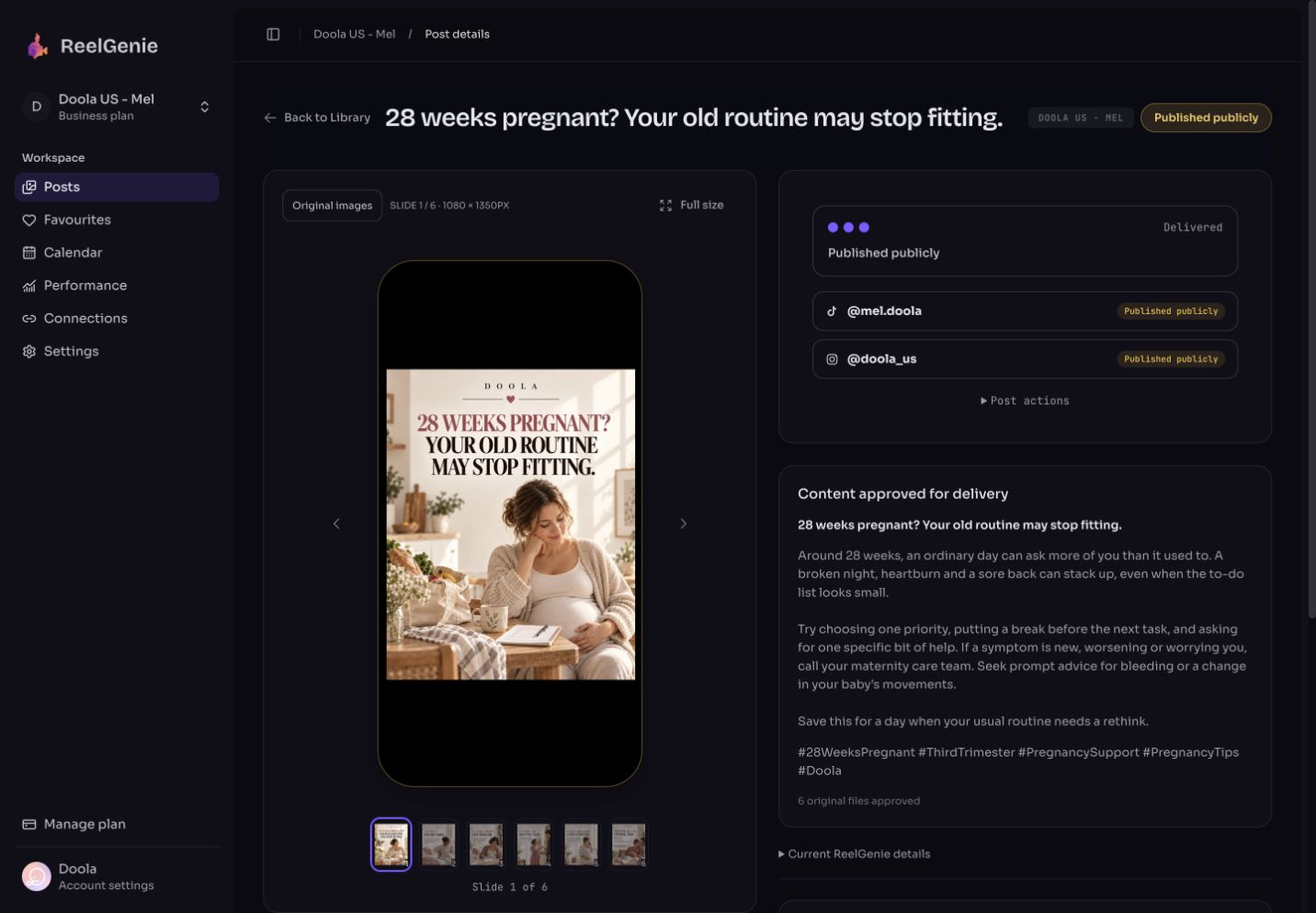
How do I finish a TikTok draft in the app?
Open TikTok on the phone signed in to that account, tap the inbox notification for the draft, then edit it and post. Nothing is public until you post it there.
Open TikTok on the right account
The draft goes to the account you approved in ReelGenie. If you have several TikTok accounts, switch to that one first.
Tap the inbox notification
TikTok tells you a post is waiting. Opening it takes you into TikTok’s editor with the video or slides.
Add a sound and check the caption
Choose a sound if you want one, edit the caption, and pick who can view the post.
Post it
Post from TikTok. ReelGenie then marks the account’s result published once TikTok reports it public.
Can a private API post be made public later?
Yes, by the account owner in TikTok. It doesn’t happen by itself, even after the app passes the audit. TikTok says the owner first switches the account to public, then changes each post’s privacy to “Everyone” (Content Sharing Guidelines).
Questions about the TikTok API audit
- Why is my TikTok API post only visible to me?
- The app that sent it hasn’t passed TikTok’s Content Posting API audit. TikTok restricts posts from unaudited apps to private viewing (“Only me”) until the app passes.
- Is ReelGenie audited for TikTok Direct Post?
- Not yet (checked 18 November 2026). Most accounts get an inbox draft that you finish in TikTok, and ReelGenie doesn’t promise public posting on TikTok.
- Is the TikTok API free?
- TikTok’s developer docs list no price or fee for the Content Posting API (checked 18 November 2026). An app needs TikTok’s approval of its scopes, and passing TikTok’s audit before its Direct Posts can be public.
- Do I need my own TikTok developer app to use ReelGenie?
- No. You connect your TikTok account on ReelGenie’s Accounts page and ReelGenie sends through its own app. Your agent can’t sign in to TikTok for you.
- How many drafts can wait in my TikTok inbox?
- TikTok allows at most 5 waiting drafts per account in any 24 hours. Post or delete older ones before sending more.
- Can Claude or ChatGPT post to TikTok by themselves?
- No. They have no TikTok login. Connected to ReelGenie, your agent saves the finished post, you approve it, and ReelGenie sends it to TikTok. See how to post to TikTok from Claude.
- Can I get my own n8n or Make auto-poster audited?
- TikTok’s guidelines list “a utility tool to help upload contents to the account(s) you or your team manages” as not acceptable, so an app for your own accounts is unlikely to pass. It can still send inbox drafts with the
video.uploadscope. - Can I try it before signing up?
- Yes. Try ReelGenie without signing up to see the review and approval steps.
How much does ReelGenie cost for TikTok?
Nothing to start. ReelGenie’s forever-free plan includes 30 posts a month, 1 brand and 3 connected accounts, with no card. Solo is US$19/month for unlimited posts. See all plans and the Pricing Policy.