Type-led slides, made precisely
Claude lays out each slide in HTML and renders it to an image at the exact size, so text stays sharp and spelled the way you approved.
 ReelGenie
Claude designs your carousel and writes the caption. ReelGenie keeps the exact files for private review, then schedules or publishes to Instagram, TikTok and YouTube when you approve.
Connect Claude CodeFree forever · 10 posts per day · 2 workspaces
Your Claude plan is separate.
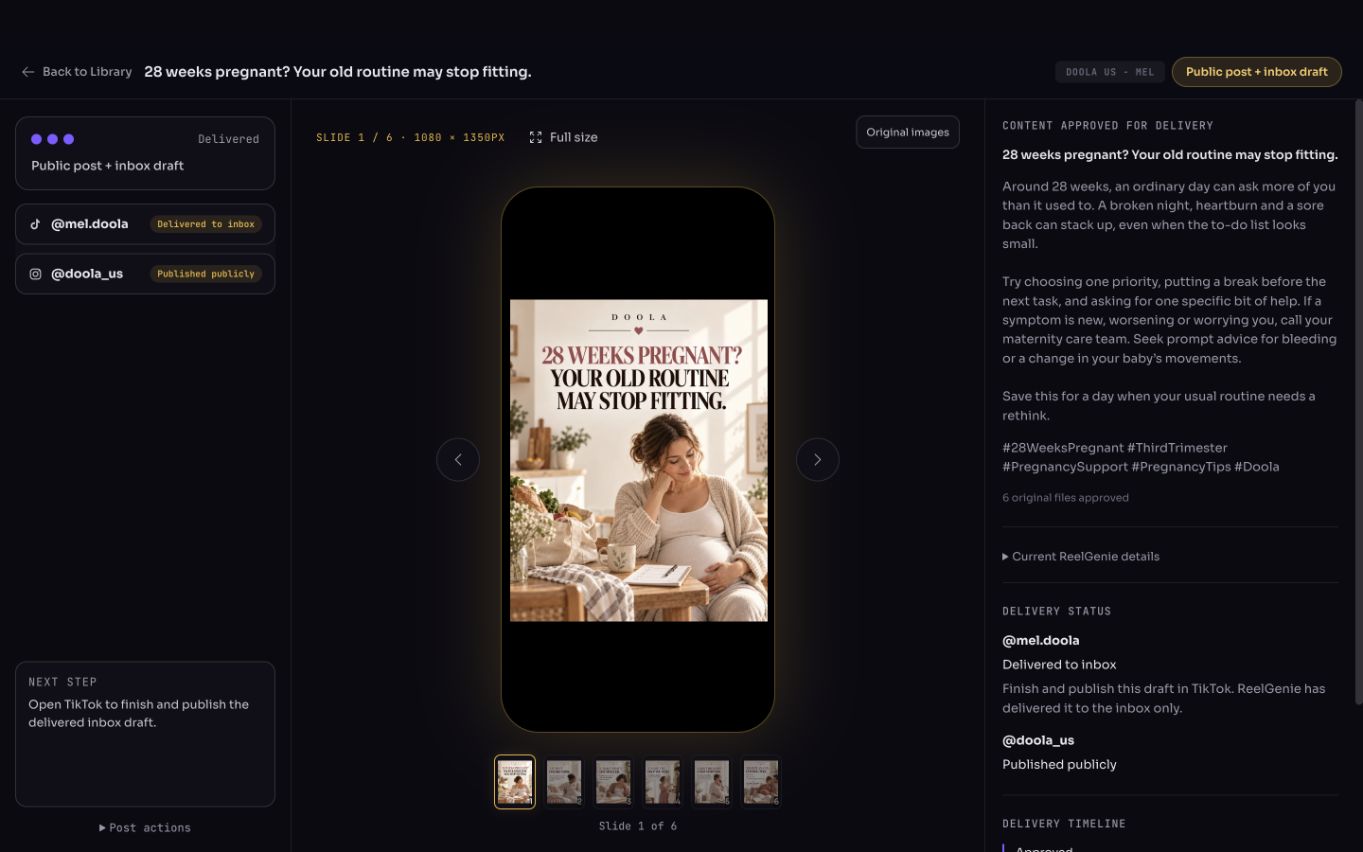
Claude reads your saved brand brief, suggests angles and hooks, writes the caption and builds the slides. ReelGenie stores the finished files, shows them exactly as they will be sent, and handles accounts, scheduling and delivery results.
Claude lays out each slide in HTML and renders it to an image at the exact size, so text stays sharp and spelled the way you approved.
Claude doesn’t generate photographs. Use your own images, or an image tool you’ve connected to Claude, for pictures inside the slides.
Claude uploads the files straight from your computer. ReelGenie checks each one’s size, format and fingerprint before the post is ready to review.
Every post starts private. Open the review link Claude gives you, check each slide and the full caption, and fix anything in the conversation. When it’s right, tell Claude the account, delivery mode and time, or approve it yourself in ReelGenie.
Paste this into Claude Code. It installs the ReelGenie plugin for Claude Code, which adds the ReelGenie skill and connection, and then asks you to sign in.
Install the official ReelGenie plugin by running claude plugin marketplace add lidemin/reelgenie-claude-plugin and then claude plugin install reelgenie@reelgenie. If plugins aren’t available, fetch the skill from https://reelgenie.app/reelgenie-claude-skill.md, save it as ~/.claude/skills/reelgenie/SKILL.md and add https://reelgenie.app/api/mcp/agent instead. Then ask me to restart Claude Code and run /mcp to sign in. Never ask me to paste a token or password. Then help me save my brand brief, create an original carousel and upload it to ReelGenie for private review. Keep it private until I approve the exact post, accounts, delivery mode and time.
You sign in yourself. Claude never sees your password.
Sign up free and name your first workspace. Connect Instagram, TikTok or YouTube in Connections now or when you’re ready to send.
Paste the prompt, or run the two commands below yourself. Then restart Claude Code, type /mcp, choose plugin:reelgenie:reelgenie and sign in. You see which permissions you’re granting before you connect.
Agree on the angle and hook, check a cover and one slide, then let Claude upload the finished set. Open the review link it gives you.
The plugin is open source on GitHub. It contains the ReelGenie skill and the connection settings, nothing else.
claude plugin marketplace add lidemin/reelgenie-claude-plugin
claude plugin install reelgenie@reelgenieReelGenie connects through MCP at https://reelgenie.app/api/mcp/agent. Signing in with /mcp asks you to approve access to your ReelGenie account; publishing still needs your approval for each post. Use Settings → Agent connection to see and revoke connections, or to create a token for scripts that cannot sign in. If the ReelGenie tools don’t appear after installing the plugin, start a new Claude Code session. Without the plugin, add the connection directly with claude mcp add --transport http reelgenie https://reelgenie.app/api/mcp/agent, then choose reelgenie in /mcp. Ask Claude to check the connection with a health check before creating anything.
You can add https://reelgenie.app/api/mcp/agent as a custom connector in the Claude app. Creating a post with new images needs access to the image files on your computer, which Claude Code has. Use Claude Code to make and upload posts.
Choose an eligible connected account and send now, or set a date, time and timezone. Claude can carry out the approved delivery only if you allowed publishing when you signed in; you can always approve in ReelGenie instead.
Check the result for each account. “Scheduled” means delivery is planned. “Draft ready” means TikTok needs your final step. “Published” means the platform reports a public post.
Free · $0/month: all features, 10 posts per day and 2 workspaces, and unlimited connected accounts.
Pro · US$19/month or US$199/year: all features, up to 10 workspaces, unlimited connected accounts and unlimited posts.
The free allowance is per team per UTC day. Drafts and Favourites do not use it. A carousel or video sent to its selected destinations counts as one post; retries do not count again. Platform permissions still apply. Your Claude plan is separate from ReelGenie. Compare plans · Pricing policy.
Connect Claude CodeMay we use analytics cookies to understand visits and setup steps? Your choice does not affect the free plan. Cookie policy