Forever free · $0/month
30 posts a month across your team, 1 brand and 3 connected accounts. A place to review finished media, schedule it and follow delivery.
 ReelGenie
Claude can’t post your Shorts, TikToks or Reels at a set time by itself. Claude saves the finished post to ReelGenie, you approve it with a posting time, and ReelGenie posts it at that time, even with Claude closed. No paid Claude scheduling and no Zapier trial.
See how it worksForever free: 30 posts a month · 1 brand · 3 connected accounts. Scheduling is included on every plan.
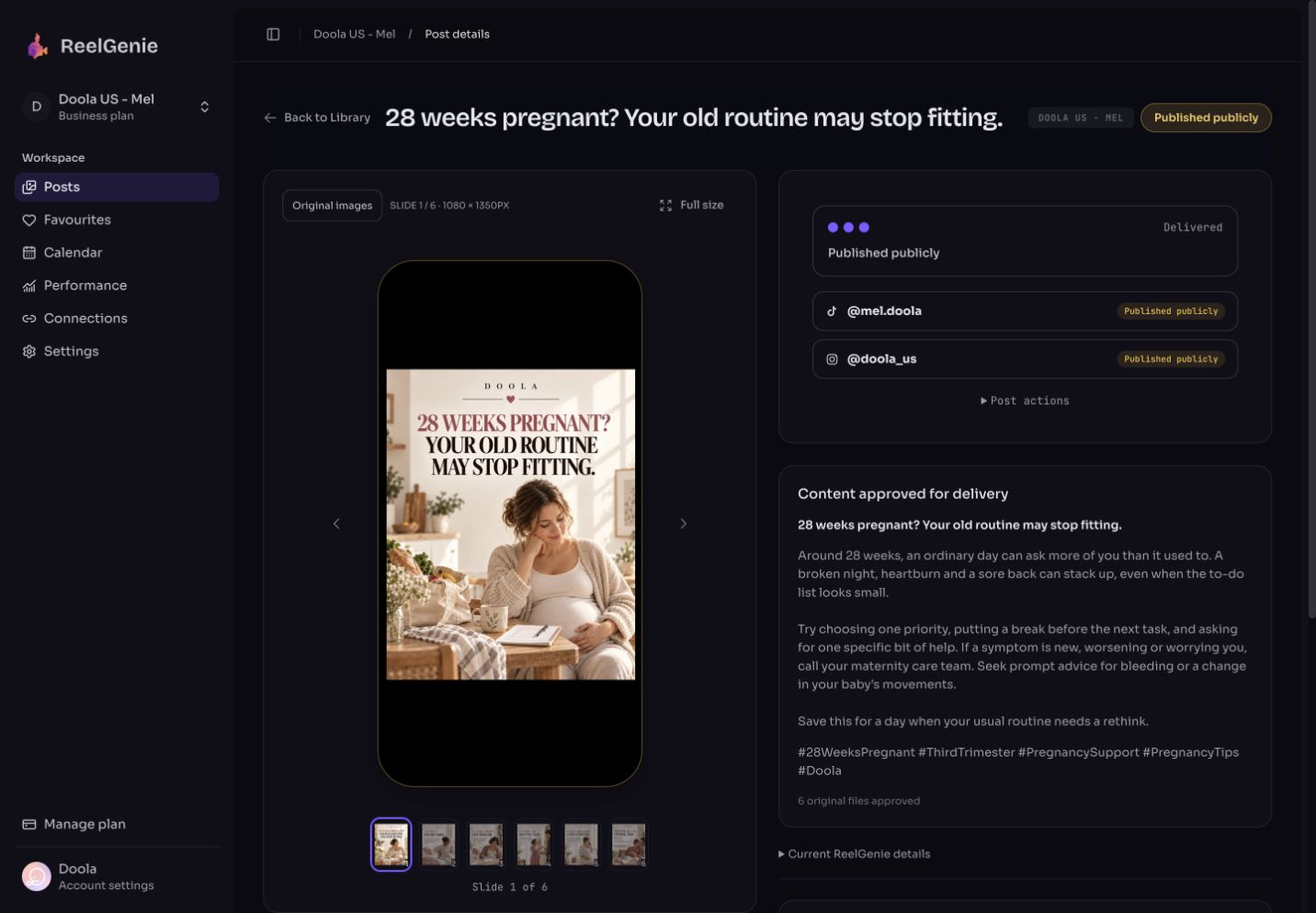
Claude saves the finished post to ReelGenie; saving it never publishes it. You approve it with a posting time, in ReelGenie or in your Claude chat, and ReelGenie’s servers send it to TikTok, Instagram or YouTube at that time, so Claude doesn’t need to stay open and you don’t need Claude’s own scheduled tasks. ReelGenie doesn’t make the video, and scheduling is included on the free plan of 30 posts a month.
Make the video or images with Claude and the tools you already use. Connected to ReelGenie, Claude saves the finished files with the caption, title or description as a private post. Claude Code can upload an MP4 straight from your computer; in the Claude app, Claude can hand over a HeyGen, Canva or Higgsfield download link, or you upload the file on ReelGenie’s Posts page.
Open the review link Claude gives you. The post plays in a phone frame exactly as each platform will get it. Change the caption in the chat or in ReelGenie. Nothing is sent yet.
Pick the accounts and a date and time, or give each account its next free posting time. In ReelGenie you approve in the console. In Claude, Claude asks you to confirm the accounts and time, then approves for you after you say yes. You can also ask Claude to send you an approval request with a suggested time and approve it in ReelGenie.
ReelGenie checks for due posts every minute, so a post goes out within about a minute of its time, whether or not Claude, your browser or your computer is on. Scheduled isn’t posted: afterwards each account shows its own result, published, draft ready or failed with the platform’s reason. If a post didn’t go out, here is how to check a scheduled post.
Step-by-step guides: post YouTube Shorts from Claude, post to TikTok from Claude and post to Instagram from Claude.
Claude’s scheduled tasks rerun a prompt on a timer. The ones that run on your computer only run while it is awake and the Claude app is open, and people on the free Claude plan say they can’t use scheduled tasks at all. Even when a task runs, Claude still needs something that can upload to TikTok, Instagram or YouTube. That is why popular “Claude makes my Shorts” tutorials add a Zapier automation, and why people ask what to do when the Zapier trial runs out.
ReelGenie moves the timing off your computer. Claude does its part once, while you are talking to it: it saves the post. You approve the time. The posting happens on ReelGenie’s servers, so closing Claude, closing the laptop or running out of Claude usage doesn’t stop it.
Yes. Scheduling isn’t a paid feature in ReelGenie; the free plan has every feature, with 30 posts a month, 1 brand and 3 connected accounts. A post sent to several accounts counts once.
The allowance is counted when the post goes out, not when you schedule it. If this month’s 30 posts are used up at the posting time, that post isn’t sent and isn’t retried automatically; it stays saved, so you can pick a date next month or upgrade. Paid plans have no post limit. Your Claude plan is separate from ReelGenie.
ReelGenie posts only to TikTok, Instagram and YouTube. It sends what you approved at the time you chose; it can’t promise views or reach.
ReelGenie's forever-free plan includes 30 posts a month, 1 brand and 3 connected accounts. Save the finished post from Claude, approve a time, and let ReelGenie send it.
30 posts a month across your team, 1 brand and 3 connected accounts. A place to review finished media, schedule it and follow delivery.
Unlimited posts. Solo: 2 brands and 10 connected accounts for US$19/month. Team: 5 brands, 30 accounts and 5 people for US$49/month. Agency: 20 brands, 100 accounts and unlimited people for US$129/month. Annual billing gives two months free.
The free allowance resets on the 1st of each month (UTC). One post counts once across its destinations; retries do not count again. Contact us for more than 20 brands or 100 connected accounts. Your agent’s plan and any video tool are separate from ReelGenie. Platform permissions still apply. Read the Pricing Policy.
Paste it into Codex. It installs the skill and guides you from account setup to your first delivery. Using Claude? Start with the Claude setup.
You handle sign-in, account consent and final approval.
Codex, install and read the ReelGenie skill from https://reelgenie.app/reelgenie-codex-skill.md. Use your in-app browser to guide my ReelGenie setup, create and review my first post, then publish it and verify delivery. Keep my token private and confirm the exact account and delivery mode before sending.
May we use analytics cookies to understand visits and setup steps? Your choice does not affect the free plan.May we use analytics cookies? Cookie policy