SEVERAL ACCOUNTS · SEVERAL BRANDSManage multiple social media accounts,
with each account’s own result.
Seven Shorts channels, three client brands, or a TikTok and an Instagram for each product. Give each brand its own ReelGenie workspace, connect its TikTok, Instagram and YouTube accounts, approve each post, and see what every account did on one Calendar and one Delivery health page.
See how it worksForever free: 30 posts a month · 1 brand · 3 connected accounts. Solo, Team and Agency: 2, 5 or 20 brands.
The short answer
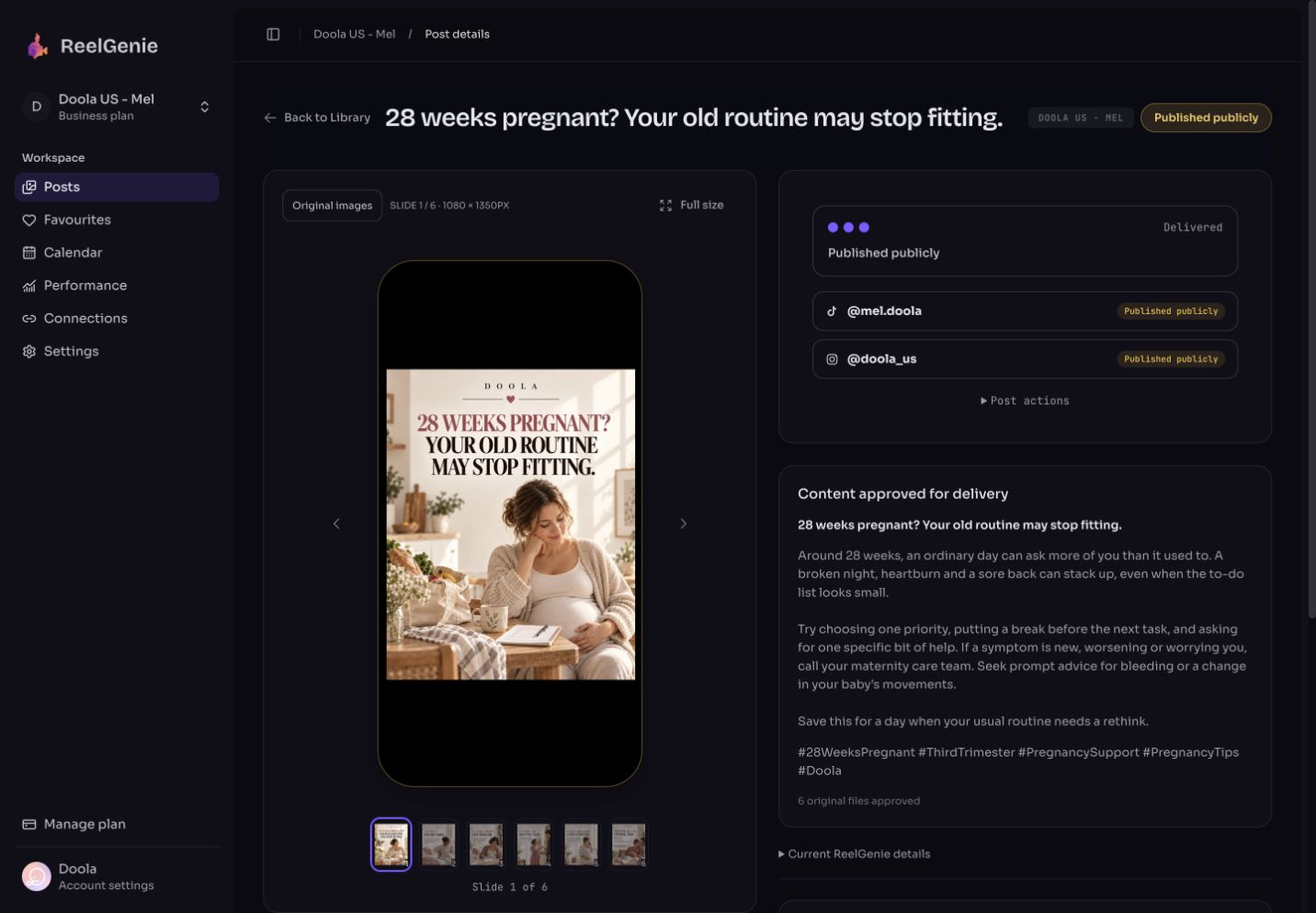
ReelGenie doesn’t make or edit videos. It posts finished ones, only to TikTok, Instagram and YouTube. Each brand is a workspace with its own accounts and guidance, and a workspace holds one TikTok, one Instagram and one YouTube account at a time, so seven YouTube channels means seven brands. A post belongs to one brand and goes to that brand’s accounts. Saving never publishes: a person approves each delivery, and each account then shows its own result. The Calendar and Delivery health show every brand in one place.
How brands and accounts fit together
- A brand is a workspace with its own posts, connected accounts and brand guidance, so one client’s captions and accounts never mix with another’s.
- One account per platform in each brand: a brand holds one TikTok, one Instagram and one YouTube account at a time. Connecting a second TikTok account to the same brand takes the place of the first, which then shows Disconnected.
- How accounts are counted: a connected account is one profile on one platform, so Instagram and TikTok for one brand count as two. The same profile connected to two brands counts once.
- Several YouTube channels: give each channel its own brand. The same goes for several TikTok or Instagram accounts.
Writing posts for several brands with Codex? Read how we keep two brands’ posts apart.
FREE FOREVER · PAID PLANSHow many brands and accounts each plan allows
Free · $0 forever
1 brand, 3 connected accounts and 1 person. 30 posts a month across your team.
Solo · US$19/month
2 brands, 10 connected accounts and 1 person. Unlimited posts.
Team · US$49/month
5 brands, 30 connected accounts and 5 people. Unlimited posts.
Agency · US$129/month
20 brands, 100 connected accounts and unlimited people. Unlimited posts.
With one account per platform in each brand, you need as many brands as you have accounts on your busiest platform. Seven Shorts channels need seven brands, which is the Agency plan; Team covers five.
One post counts once across its accounts, and retries don’t count again. Annual billing gives two months free. Free teams that joined before these plans keep their earlier allowance of 10 posts a day and 2 workspaces. Contact us for more than 20 brands or 100 connected accounts. See pricing.
How to run several accounts in ReelGenie
Make a brand for each channel or client
Create a workspace for each brand and add its brand guidance. Then connect that brand’s TikTok, Instagram and YouTube accounts on its Accounts page.
Set posting times for each account
Each account can have its own weekly posting times in its own time zone. When ReelGenie picks an account’s next free posting time, it leaves at least an hour after that account’s other scheduled posts, unless you set a different gap. Times you pick yourself can be closer.
Save each finished video to its brand
Claude, Claude Code or you save the finished MP4 to the brand it is for. Saving never publishes. To use the same video for another brand, save it to that brand too; it becomes a separate post with its own approval.
Approve each post
Choose the brand’s accounts, then post now, pick a time, or give each account its next free posting time. Through Claude, Claude confirms the accounts and times with you before anything is approved.
Check each account’s result
Each account gets its own row on the post, and the Calendar and Delivery health collect every brand’s results in one place.
Each account shows its own result
After approval, a post shows a row for each account with its own status: Waiting to send, Sending, Live, In TikTok inbox, In TikTok’s review, Failed with the platform’s reason, or Outcome unknown. One account failing doesn’t stop the others. TikTok sends most accounts a draft in the TikTok inbox, which you finish in the TikTok app.
See every brand in one place
- Calendar: choose All workspaces to see every brand’s posts by month, week or list, and show only Scheduled, Delivered or Needs attention. Drag a scheduled post, or one account of it, to another day. Choose one brand to see its accounts’ open posting times and start a post in one.
- Delivery health: for the last 30 days, how many sends went out, how many are live or in the TikTok inbox, how many failed and how many need your decision. Below that, what needs attention, with Fix and resend, and every recent send with its account, result and a link to the live post.
- Next free posting time: when you approve with next free times, each account gets the earliest of its own posting times with no other post to it nearby, looking up to 35 days ahead.
Reconnect warnings before a post is missed
- The Accounts page marks each account as Connected, Reconnect soon, Needs reconnecting or Missing permission.
- Delivery health lists accounts that need reconnecting next to failed sends; choose a brand there to check its accounts.
- Before you approve, ReelGenie warns when a sign-in won’t last until the posting time. TikTok sign-ins end after a year.
- Scheduled posts to a disconnected account can’t send until it’s reconnected. Reconnecting keeps the account’s posting times.
The same video on more than one account
- Another account in the same brand: once the first accounts have their results, use Publish to another account on the same post. An account that already got the post can’t be sent it again this way.
- A new post in the same brand: Duplicate as a new post makes a separate review copy with the same video and caption. No account or approval carries over, and nothing is sent.
- Another brand: save the video to that brand. It is its own post there.
Each platform has its own rules about reused, repeated and unoriginal content, including the same video on several channels, and posting through ReelGenie doesn’t change them. ReelGenie can’t promise views or reach.
Questions about managing several accounts
- Does ReelGenie make or edit the video?
- No. You, Claude or a video tool make the video, and ReelGenie posts the finished MP4. ReelGenie doesn’t generate, edit or resize video, and it doesn’t make posts from a web page address. The one kind of link it takes is a finished HeyGen, Canva or Higgsfield download link.
- How do I manage multiple YouTube channels in ReelGenie?
- Give each channel its own brand and connect the channel there. Each post then goes to its brand’s channel, and the Calendar and Delivery health show every channel’s posts and results together.
- Can I schedule Shorts across 7 channels?
- Yes, with seven brands, one for each channel. That needs the Agency plan, which has 20 brands; Team has 5. Save each Short to the brand it is for, approve it, and check each channel’s result. Each platform’s rules on reused content still apply.
- Can one post go to two TikTok accounts?
- No. A post goes to one TikTok, one Instagram and one YouTube account, all from its brand. For another brand’s accounts, save the video to that brand as well.
- Do I still need YouTube Studio’s upload wizard for every Short?
- No. ReelGenie uploads the video to YouTube with its title, description, visibility and made for kids setting. Use YouTube Studio afterwards for anything ReelGenie doesn’t set, such as playlists or thumbnails.
- Does saving a post publish it?
- No. Saving makes a private post for review. Each delivery waits for approval: yours in ReelGenie, or Claude’s after it has confirmed the accounts and time with you.
- How do I know each account’s post went through?
- Open the post: each account shows its own status, such as Live, In TikTok inbox or Failed with the reason. Delivery health lists every recent send by account, across all your brands.
- What happens when an account needs reconnecting?
- The Accounts page and Delivery health show it, and ReelGenie warns before you approve a post whose posting time is after the sign-in ends. Its scheduled posts can’t send until you reconnect it.
- Is it free?
- Yes, for one brand. ReelGenie’s free plan includes 30 posts a month, 1 brand and 3 connected accounts, enough for one TikTok, one Instagram and one YouTube account. Solo, Team and Agency add brands and accounts, with unlimited posts.
 ReelGenie