 ReelGenie
How to post to TikTok, Instagram and YouTube from Windsurf
Windsurf, now called Devin Desktop, can post to TikTok, Instagram and YouTube through ReelGenie’s MCP server. Add https://reelgenie.app/api/mcp/agent to ~/.config/devin/mcp_config.json, sign in to ReelGenie, and connect your accounts in ReelGenie. The agent saves each finished post for review. Nothing goes out until you approve it, and each account then shows whether it actually posted.
ReelGenie’s forever-free plan includes 30 posts a month and 1 brand, with the MCP server included. Solo is US$19/month. Your Devin Desktop plan is separate.
The short answer
- Create a free ReelGenie account.
- Add the ReelGenie server to
mcp_config.jsonand sign in. - Connect your TikTok, Instagram or YouTube account in ReelGenie.
- Ask the agent to make slides, or to upload images or a video you already made.
- Check the private preview, then approve the account and time.
- Check the result: published, a TikTok draft, or failed with the platform’s reason.
Can Windsurf post to social media?
Not by itself. Windsurf has no TikTok, Instagram or YouTube login, and those platforms only let approved apps post. Its agent supports MCP servers, which give it extra tools. With ReelGenie added, the agent hands ReelGenie the finished files and caption, and ReelGenie posts them to the accounts you connected after you approve. You don’t need a developer app or API keys of your own for any of the three platforms.
1. Add ReelGenie to Windsurf
Create a free ReelGenie account first. Windsurf is now called Devin Desktop. Its docs mention “the rename to Devin Desktop”, and older Windsurf doc links now open on docs.devin.ai. Existing Windsurf installs keep updating, and the agent inside it is called Devin Local. Devin’s docs say Devin Local supports the stdio, Streamable HTTP and SSE transports, and OAuth for each. So ReelGenie connects as a remote server with a sign-in, and you don’t copy a key.
Add the server to one of the three files Devin’s docs list: .devin/mcp_config.json in your project to share it through version control, .devin/mcp_config.local.json for a local copy that git ignores, or ~/.config/devin/mcp_config.json to use it in every project on this computer:
{ "mcpServers": { "reelgenie": { "url": "https://reelgenie.app/api/mcp/agent", "transport": "http" } } }Devin Local shares its agent harness with Devin CLI, and Devin’s MCP configuration docs give a remote server a url, which is required, and "transport": "http" for Streamable HTTP, the default for URL-based servers. No header or key is needed, because ReelGenie signs you in with OAuth.
To see the server, click Customize in the agent sidebar and open the MCPs tab. Under Install MCPs for, This computer lists the servers Devin Local has loaded, with a toggle for each, its config file and a way to refresh the list. Then sign in to ReelGenie. A ReelGenie page opens that lists what the agent can do, including publishing after your explicit approval. Choose Connect and return. Signing in covers every workspace in the ReelGenie account you choose, including new ones. If the sign-in expires later, the server shows Needs authentication; choose Authenticate to sign in again.
On Enterprise teams, admins manage allowed servers in team settings under MCP & ACP, with an MCP allowlist and an MCP registry tab. If ReelGenie won’t load, ask your admin to allow it. Sources: Devin’s Devin Local customizations and Getting started and MCP configuration docs, read on 15 November 2026.
Check the connection before making anything:
Check that the ReelGenie connection works and list my workspaces and connected social accounts.
The agent calls reelgenie_health and list_connected_accounts for this. A script or an agent that can’t sign in can use a revocable token that a team admin creates on ReelGenie’s Agents page instead.
2. Connect TikTok, Instagram and YouTube
The agent can’t sign in to your social accounts for you. Open ReelGenie’s Accounts page, choose the platform and sign in there. If no account is connected yet, the agent passes on a link and this note from ReelGenie:
Instagram only connects professional accounts (Business or Creator); you can switch in the Instagram app. YouTube needs a YouTube channel on the Google account you choose.
TikTok needs no change first. If Instagram or YouTube won’t connect, here is how to fix it. When the account shows as connected, go back to Windsurf and tell the agent.
3. Make the post
Agree on the idea before anything is made:
Suggest three short carousel ideas about [topic] for my audience. Give the cover line for each and wait for me to choose.
Then pick how the post gets made. These are the real tool names the agent calls:
- Text slides:
create_slide_postlays out slides from your words in your workspace’s colours and saves them as a private post. Use it when you have the words and no images. - Your own images:
begin_finished_image_postreserves a post for 1 to 20 PNG, JPEG or WebP images in order,get_finished_image_upload_urlsgives an upload address for each, andfinalize_finished_image_postchecks the uploaded files and makes the post ready for preview. - A finished video:
begin_finished_video_post,get_finished_video_upload_urlandfinalize_finished_video_postdo the same for one MP4.
The agent works in the folder you have open, so the files go straight from there to ReelGenie. They don’t pass through the chat, and ReelGenie keeps the exact files it will send.
Upload the slides in ./out, in order, with this caption as a private ReelGenie post and give me the review link. Don’t send anything yet.
4. Review and approve
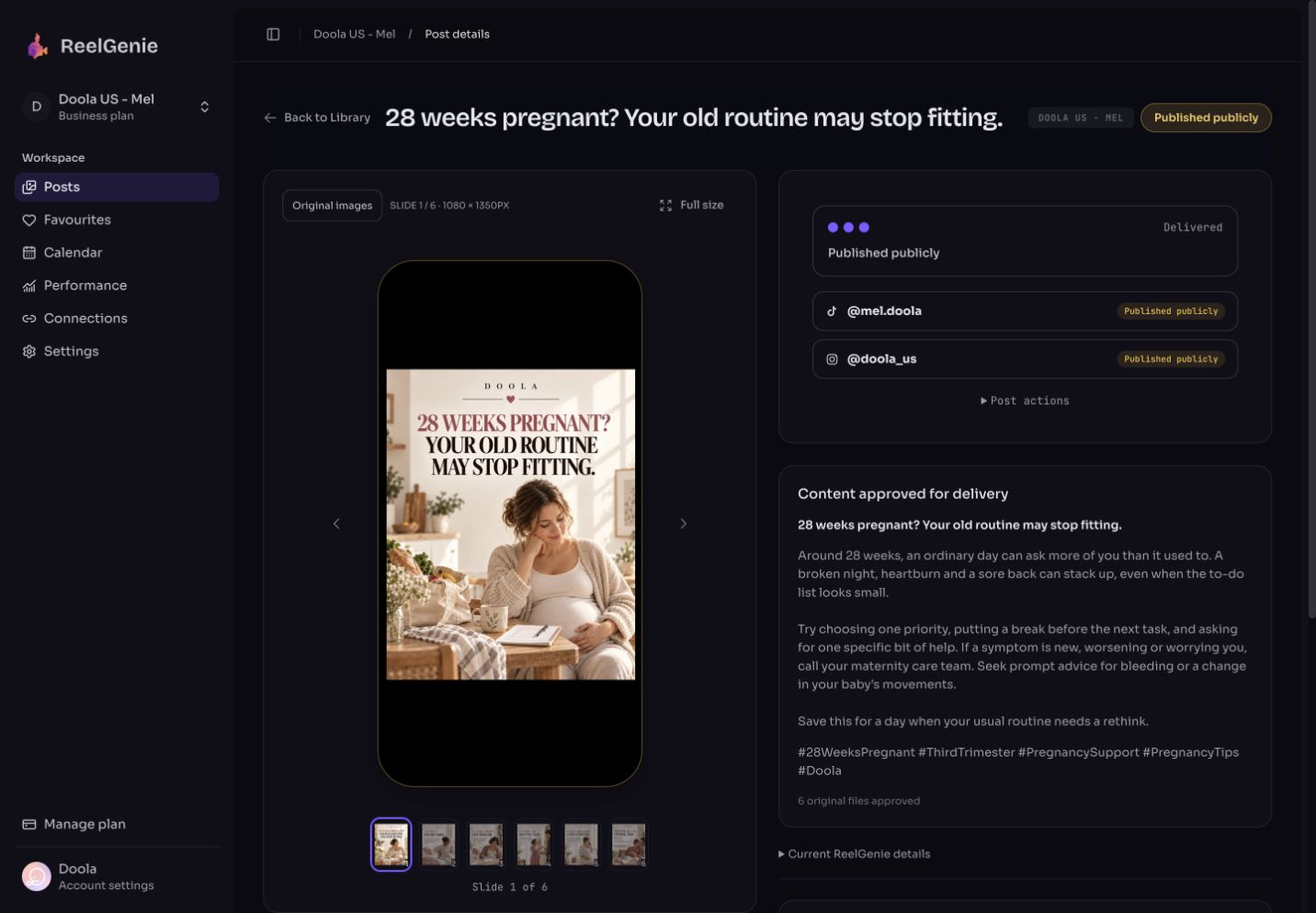
Saving a post never sends it. ReelGenie returns a review link where you see the exact files in a phone frame, in order, with the full caption. If something is wrong, ask the agent to fix the caption or replace one image while the post is still in review.
Your agent can ask for approval. Only a person can give it, in ReelGenie or in the chat.
- In the chat: the agent calls
check_post_deliveryto run the checks first, then asks you one yes-or-no question that names the post, the accounts and the time. Only after your clear yes does it callapprove_post. - In ReelGenie: the agent calls
request_publish_approval, which prepares the request without approving or sending anything, and you approve on the review page.
Either way you approve every post before it goes live: the post, the account, the time and any platform options such as Instagram feed or Story, or YouTube public, unlisted or private.
Schedule this to my Instagram feed and TikTok for Tuesday at 9:00 my time. Ask me before you approve.
5. Check the result
Scheduled isn’t posted. Each account shows its own result, which the agent reads with get_finished_post:
- Scheduled: delivery is planned and nothing has been sent yet.
- Draft ready: for most TikTok accounts, the post waits in your TikTok inbox. Open TikTok, add a sound and post. Direct Post is used only where TikTok allows it for the account.
- Published: the platform reports the post as live, with its link.
- Failed: the platform’s reason in plain words.
diagnose_publish_failureexplains what to fix.
Did my post go out on every account? If anything failed, tell me why and what to do.
If a scheduled post didn’t go out, here is how to check.
What it can’t do
- It posts only to TikTok, Instagram and YouTube.
- It can’t sign in to your social accounts. You connect them on ReelGenie’s Accounts page.
- ReelGenie doesn’t make photos or video. Use the slide tool, your own files or another tool.
- It won’t send anything that hasn’t been approved by a person.
- It can’t post to a personal Instagram account. Instagram allows professional accounts only.
- It can’t turn on TikTok Direct Post or make a video a YouTube Short. TikTok and YouTube decide those.
The free plan covers 30 posts a month across your team, 1 brand and 3 connected accounts. A post sent to several accounts counts once, and posts saved for review don’t count. Solo is US$19/month for unlimited posts. Compare plans.
Questions about posting from Windsurf
- Is there a Windsurf MCP server for social media?
- Yes. ReelGenie is a hosted MCP server at https://reelgenie.app/api/mcp/agent that the agent in Windsurf can use to post to TikTok, Instagram and YouTube. Add it to mcp_config.json and sign in.
- Is Windsurf the same as Devin Desktop?
- Yes. Windsurf was renamed Devin Desktop, and existing Windsurf installs keep updating. Its agent is called Devin Local, and its setup files now live in .devin folders.
- Which config file should I use?
- Use .devin/mcp_config.json in a project to share ReelGenie with your team, .devin/mcp_config.local.json to keep it to yourself in that project, or ~/.config/devin/mcp_config.json for every project on your computer.
- Do I need an API key or token?
- No. Windsurf signs in to ReelGenie with your account. A revocable token from the Agents page is only for scripts or agents that can’t sign in.
- Can the agent publish without me?
- No. Your agent can ask for approval. Only a person can give it, in ReelGenie or in the chat.
- Does it make the images or video?
- ReelGenie lays out text slides with create_slide_post. For anything else, bring finished images or an MP4 and the agent uploads them as they are.
- Is it free?
- Yes, on ReelGenie’s forever-free plan: 30 posts a month, 1 brand and 3 connected accounts, with no card. Solo is US$19/month for unlimited posts. Your Devin Desktop plan is separate.