 ReelGenie
Turn your ChatGPT ideas into social posts.
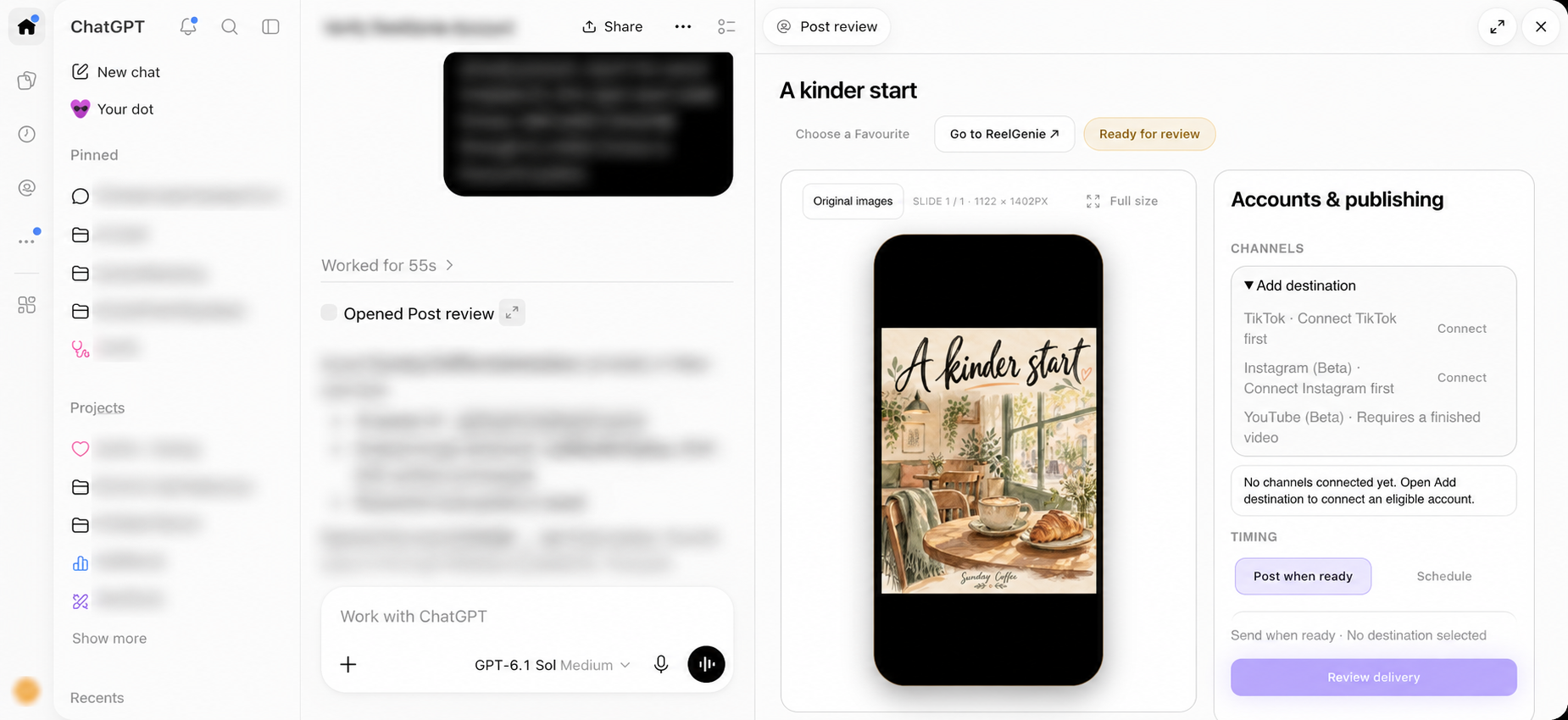
Turn a rough idea into a social post with ChatGPT and ReelGenie. Shape the brief, choose a Favourite style and review saved originals without manually transferring files.
Updated
A useful brief starts with the reader
You do not need a folder of assets to begin. Start with the audience, the idea and what the reader should do next. A café might want locals to visit this weekend; an app might want a reader to try one helpful feature. Tell your conversation which outcome matters, then choose an image post, carousel or finished video.
“Make a three-slide Instagram carousel for Sunday Coffee. Help people discover our quiet weekday mornings. Use warm colours, keep each slide focused on one idea, and save the finished originals in ReelGenie for review.”
The creative tools belong to your host. ReelGenie completes the handoff to a private, reviewable post once the original files exist. It does not require you to download the result, name a folder and upload the same files again.
Keep the conversation flexible
Ask for a different hook, shorter caption or clearer visual before delivery. You can talk about the content in the same conversation where it was made. If a file has never been generated or attached, supply that real original first; a preview or a remembered filename is not the finished asset.
Use a Favourite for direction, not duplication
Your Favourite collection keeps references worth returning to: original images and the creative direction saved with them. Open Choose a Favourite from review, inspect its slides and decide whether the style suits this idea.
Use this style selects the reference for the current conversation. Continue with the new topic or audience. Create with this style starts a new request with that reference. This distinction lets you stay in an existing creative discussion when that is what you want.
Keep the reference’s visual direction separate from your post’s message. An ivory-paper watercolour reference can guide a café scene while the new composition, words and subject remain original.
The creative finish is a real preview
ReelGenie opens the saved original in a phone frame. Check the order of carousel slides, legibility and image crop. Open full size for a closer inspection. Caption, hashtags and first comment remain available under Edit post details when you need them.
A saved post is private. Previewing an image or selecting a style does not publish anything. The next decision is the destination and timing, explained in our in-chat scheduling guide.
Continue the journey
Your next social post starts in ChatGPT.Turn your ChatGPT ideas into social posts.
From ChatGPT conversation to published post.
Create, preview and schedule social posts in ChatGPT.
Full visual walkthrough · Create a ReelGenie account · Get support